🌋 The Stromboli Project
Free 🪟 Windows

Crafty Fox PDF Organizer

Every page in one grid. Drag, merge, split, export.

Drop in PDFs or photos and every page becomes a thumbnail in a single grid. Put them in order, rotate, delete or extract the ones you need, sign or number them, and export — one file, a split, or images. Your documents stay on your computer.

No account, no email, no licence key. Crafty Fox is free.

Windows desktop build

Windows may show a SmartScreen warning on first launch — click More info → Run anyway.

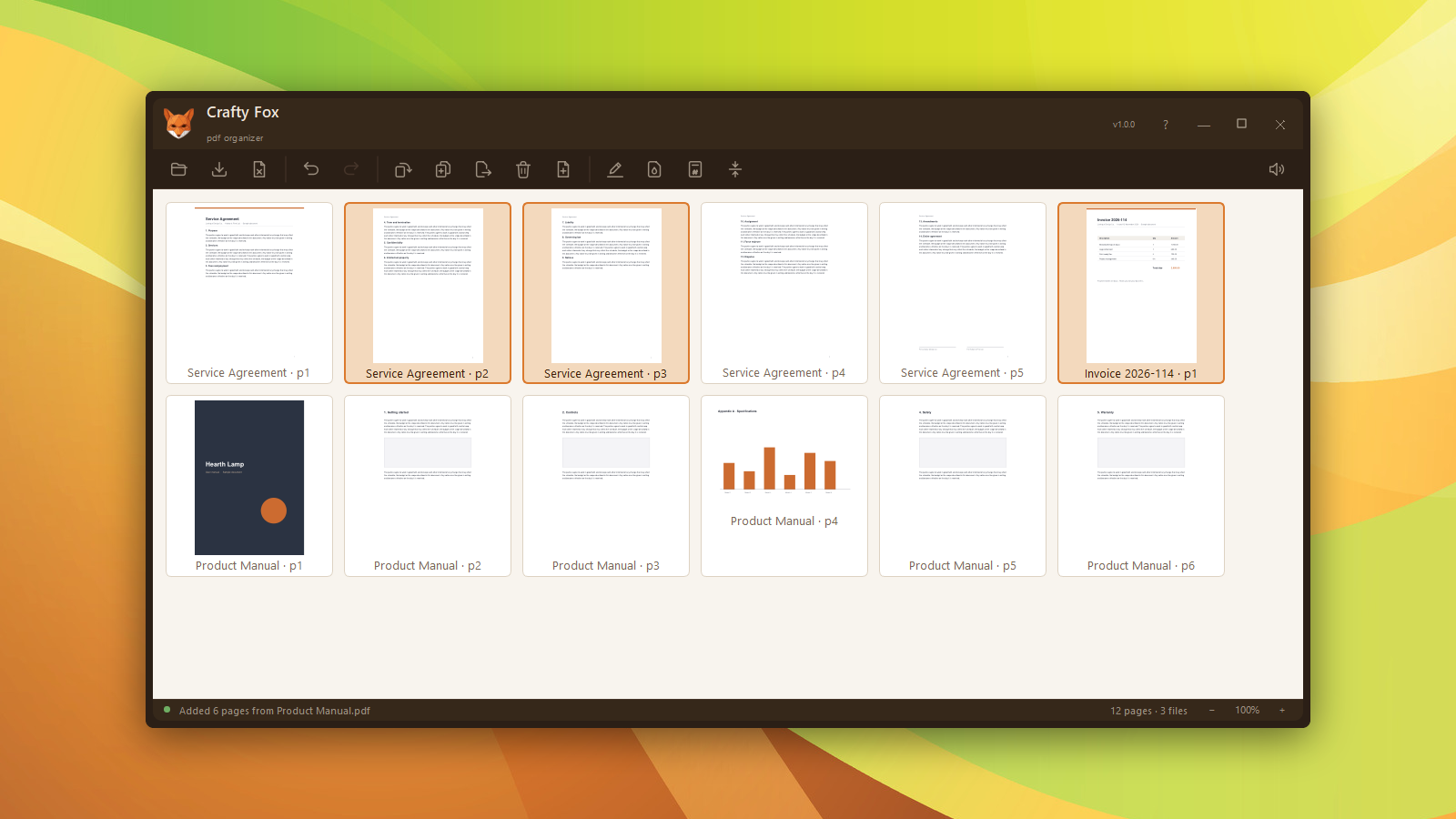
Crafty Fox with three PDFs loaded into one grid of thumbnails, some pages selected and the toolbar above.

Crafty Fox puts every page of every file in a single grid, so merging, ordering and splitting is just moving thumbnails around.

Features

One grid, a handful of page tools, and the finishing touches — sign, number, protect — before you export.

One flat grid.

  • Add PDFs or images (JPG, PNG, TIFF…) with a button, Ctrl+O or by dragging
  • Every page of every file lands in one list of thumbnails, so loading several files merges them
  • A photo becomes one page, at A4 size at most, and phone photos come out upright
  • Zoom the grid from 60 % to 500 %

Move pages like cards.

  • Drag to reorder, or Alt+←/→ from the keyboard
  • Rotate 90° either way or 180°, duplicate, delete
  • Extract the selection to a new PDF
  • Insert a blank page the size of its neighbour
  • Undo and redo, 100 steps deep

Sign, stamp, number.

  • A signature or image you drag and resize on a live preview
  • A diagonal text watermark with adjustable opacity
  • Page numbers that renumber themselves when you move pages
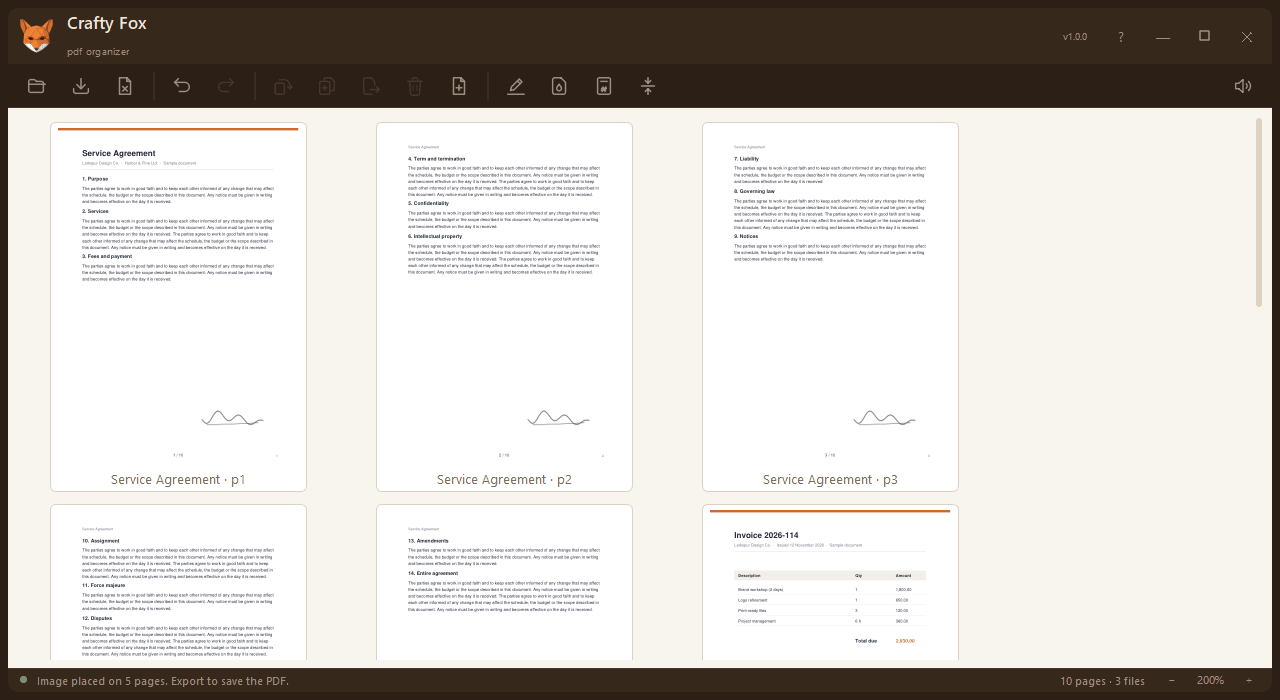
  • All three show in the grid before you export, and each can be removed

Export your way.

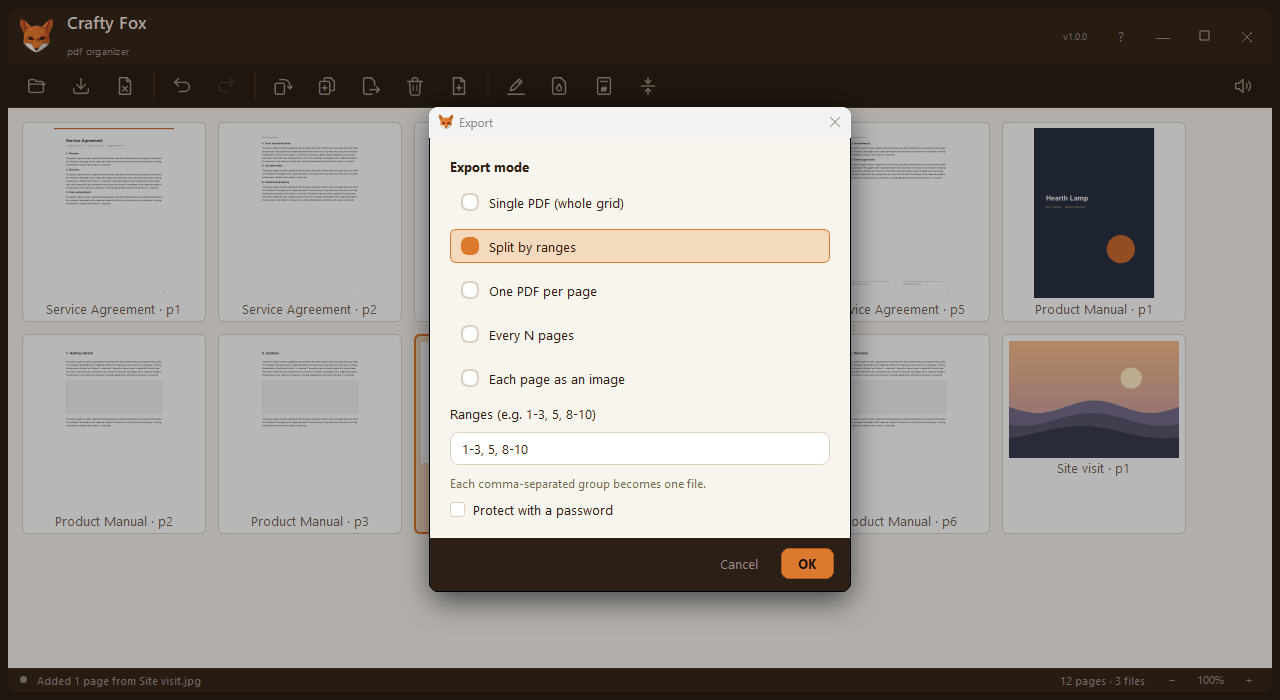
  • One PDF, split by ranges (1-3, 5, 8-10), one per page, or every N pages
  • Every page as a PNG or JPG, with the DPI you choose
  • Open and save password-protected PDFs (AES-256)
  • Compress in two levels, medium or maximum
Crafty Fox with a signature and page numbers visible on the thumbnails.

What you get

Contracts, invoices and manuals, in the order you want.

Merge without a wizard

There are no steps to follow: drop the files, and the pages are already side by side. Move the ones that are out of place and export.

Documents that stay yours

Everything happens on your computer. Nothing is uploaded, which matters when the file is a contract or an ID scan.

Room to change your mind

Undo and redo cover moving, rotating, deleting and stamping. Even closing the whole job with Ctrl+W comes back with Ctrl+Z.

Where it fits

For the PDF you need to fix once in a while.

It is the right tool when…

  • a contract and the scan of an ID have to go out as a single file
  • several invoices should become one PDF, in date order
  • a manual has to be split into chapters, or one page pulled out of it
  • a document needs a signature image, page numbers or a “CONFIDENTIAL” mark before it leaves

What it needs

  • Windows, 64-bit. A signed Windows installer
  • No account and no key — it opens on an empty grid, ready for files
  • Local. Your files are read and written on your computer; nothing is uploaded

How it goes

Add, arrange, finish, export.

One window and nothing else: the grid in the middle, the tools in a single row above it. No dialog appears until you ask for one, except a notice if a newer version is out.

  • Loading several files is merging them: there is no separate merge mode
  • What you see in the grid is what gets exported
Step 1 · Add Add PDFs or images with Ctrl+O, or drop them on the window. Password-protected files ask for their password.
Step 2 · Arrange Drag pages into place; rotate, duplicate, delete or extract the selection. Ctrl+Z if you slip.
Step 3 · Finish Sign, add a watermark or page numbers if you need them, and compress if the file is heavy.
Step 4 · Export Ctrl+E: one PDF, a split by ranges, or images — with a password if you want one.
Crafty Fox Export dialog with the split by ranges option and a range typed in.

Who it is for

Anyone who has to put a PDF in order now and then.

A contract with the ID scan, a pile of invoices, a manual that needs cutting into chapters. You open it, move the pages and export — without uploading the file to a website or relearning a tool each time.

Read the complete guide →

What it leaves out

Page organising, on purpose.

  • No editing of the text that is already in the PDF
  • No editable text or stamps: a watermark or signature is stamped, and can be removed, but not reshaped later
  • The signature is an image, not a certified digital signature
  • No OCR, no forms, no redaction, no metadata editing
  • Passwords only to open a file: no fine-grained permissions such as printing or copying