🌋 The Stromboli Project
Free + licence 🪟 Windows

Tiny Chicken HTML Viewer

Paste the HTML. See the page. No browser, no server, no save.

For the snippet that lands in your inbox and has to be checked now: editor on the left, the rendered result on the right, updating as you type.

Free to download and use. The first 14 days are the full version, with no account and no card. After that it keeps working with one document open at a time; an Animal Tools licence (€19.99, once) removes the limit. The Linux build is still the earlier free version, with no limit.

Windows and Linux desktop builds

Windows may show a SmartScreen warning on first launch — click More info → Run anyway.

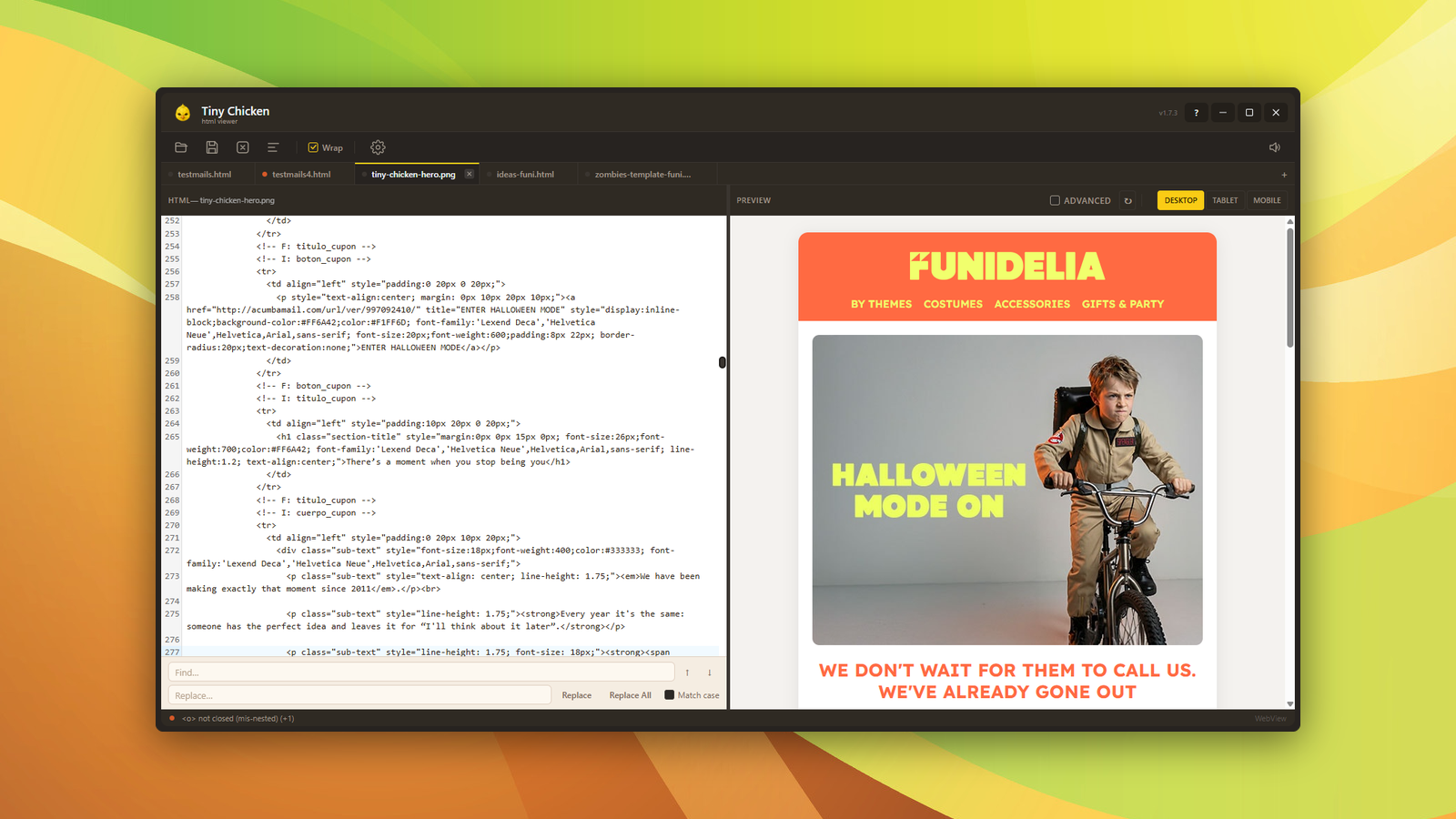
Tiny Chicken's window with an HTML fragment in the editor on the left and the same fragment rendered in the preview on the right.
Paste the HTML and see it rendered as you type. No browser tab, no saving, no refresh.

Tiny Chicken is a light, ad-free HTML viewer: paste a snippet and see it rendered instantly, at phone, tablet and desktop widths — no browser, no server, nothing saved.

Features

What the preview can do, before you paste anything into it.

Type on the left, see it on the right.

  • Renders as you type, with a short pause to settle
  • The system's own WebView — no Chromium bundled
  • Draggable splitter, from 20% to 80% of the window
  • No server, no configuration, and it renders with no connection

Every width, without a phone.

  • Desktop, Tablet and Mobile frames, with a rotate button
  • Advanced mode: exact device resolutions
  • iPhone, Pixel, Galaxy, iPad, Surface, MacBook…
  • It remembers the model you picked, per device type
  • Fixed-width emails scaled down, like a real mail app

Several snippets at once.

  • One tab per document (Ctrl+N, Ctrl+W, Ctrl+Tab, Ctrl+1…9)
  • Opening a file already open activates its tab
  • The whole session comes back when you reopen the app
  • Closing a tab with changes asks first

Edit the preview, not just the code.

  • Click into the rendered result and type
  • It syncs back to the HTML live, and the other way round
  • The fragment that moved is highlighted for a moment
  • For quick text fixes — not a full visual editor

Tidy it, and catch the broken tags.

  • Tidy re-indents minified or messy HTML
  • Unclosed, mis-nested or orphan tags reported in the status bar
  • Find and replace with Match Case (Ctrl+F)
  • Word wrap toggle and preview zoom from 25% to 300%, shown in the status bar: click it to go back to 100%

Files in, files out.

  • Open with the button, Ctrl+O or drag and drop
  • The open file's name sits next to the HTML label
  • Save (Ctrl+S) or save a new copy (Ctrl+Alt+S)
  • A dot in the title while there are unsaved changes
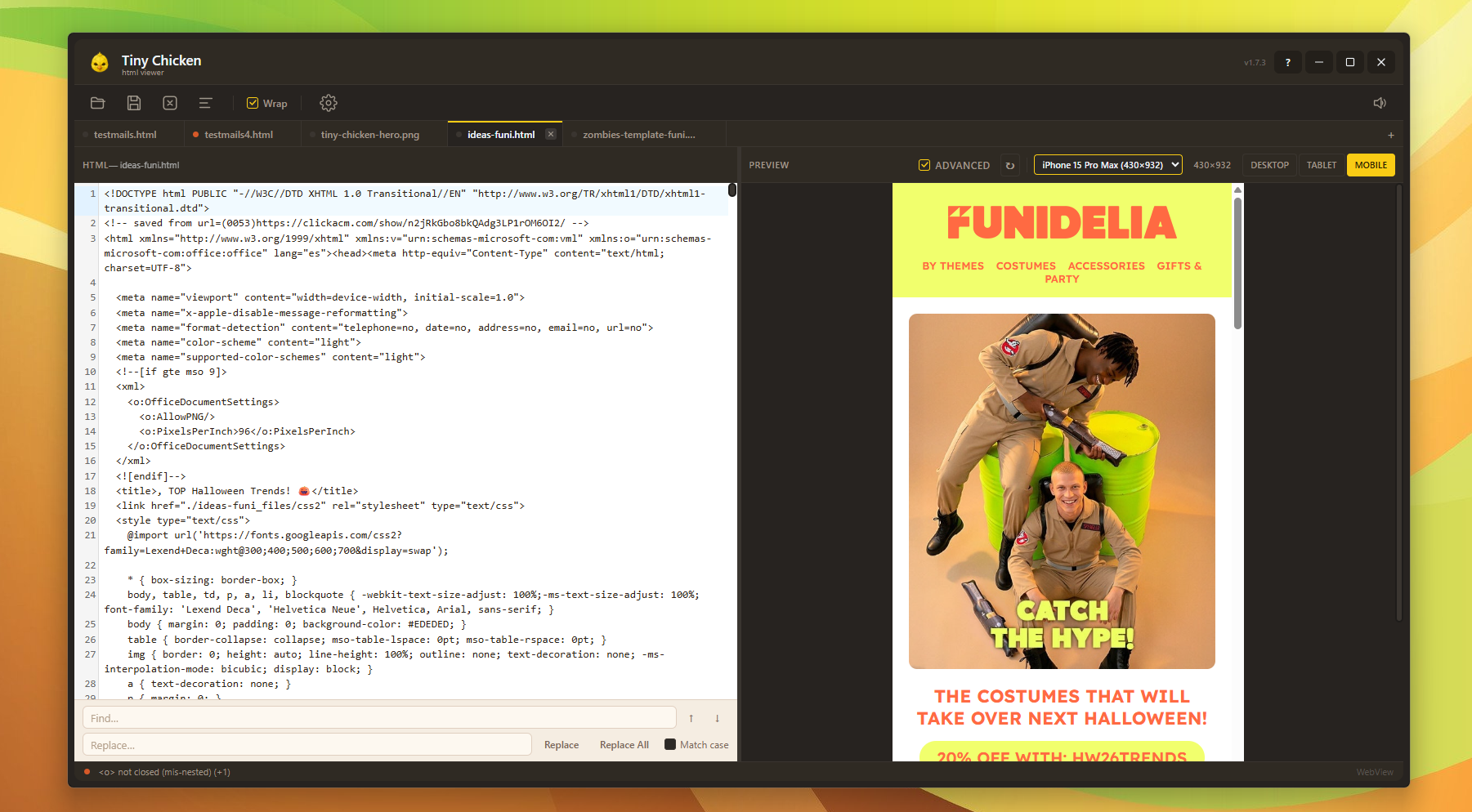
Tiny Chicken's preview in Mobile mode with Advanced on: an iPhone 15 Pro Max frame (430 by 932) holding a fixed-width email template scaled to fit.
Check the newsletter at phone width before it goes out: the whole template, scaled to fit the screen.

What you get

Three things a browser tab will not give you.

It renders while you type

A 350 ms pause and the preview is redrawn, in the system’s own web engine — nothing to save, reload or refresh.

The same snippet at phone width

Desktop, tablet and mobile frames with a rotate button, plus exact device resolutions in Advanced mode.

The tag you forgot to close

It spots unclosed, misnested and orphan closing tags and says which one, in the status bar, as you write.

The one thing

Tiny Chicken is a quick HTML viewer you can edit both ways: change the code and the preview follows, or fix the text right in the preview and the code catches up. Check how it looks on desktop, tablet and mobile, and it flags broken tags before they bite.

— Javier, The Stromboli Project
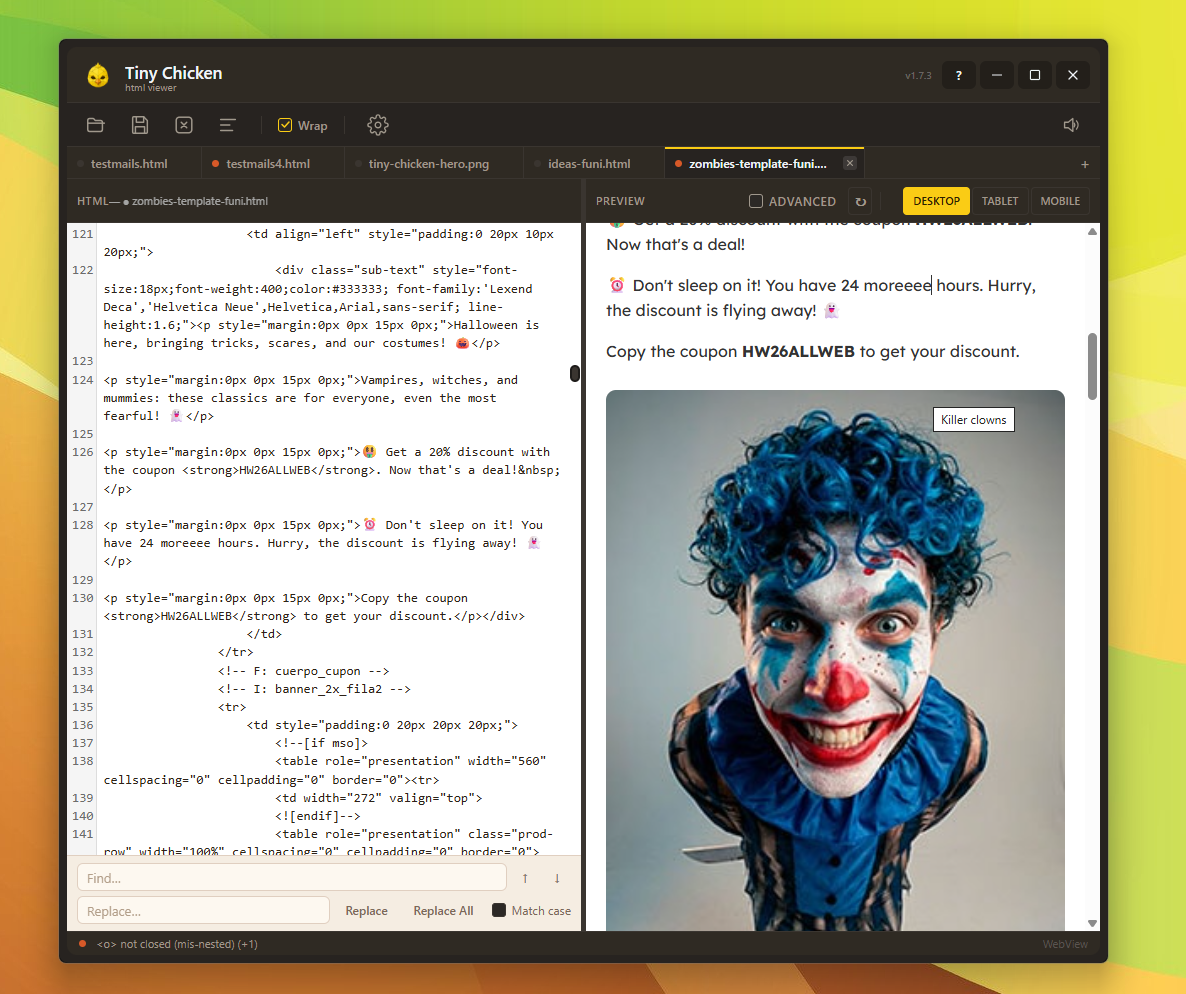
Tiny Chicken editing an email template: the code on the left and, on the right, the email rendered with its photo, the way it will arrive.
The email as it will land in the inbox, photo and all, right next to the code that builds it.

Where it fits

For the fragment, not for the site.

It is the right tool when…

  • a snippet arrives by email and you want to see it rendered now
  • the newsletter has to be checked at phone width before it goes out
  • you want to fix a word in the result itself and have the HTML follow
  • there is no server and nothing you want to upload: the HTML stays on your computer
  • the job is one fragment — the file you keep editing lives in a text editor

What it needs

  • Windows: the WebView2 runtime, already installed on Windows 11
  • Linux: published as .deb and .AppImage
  • macOS: no build. This is a Windows and Linux desktop app
  • Nothing to configure: it opens ready to use. The only setting is Accessibility Mode, for a larger interface

How it goes

Paste it, look at it, fix it.

The divider between the two panels is yours to drag, from a fifth of the window to four fifths of it.

  • Open with Ctrl+O, drag the file in, or just paste
  • Zoom the preview from 25% to 300% without touching the code; the level shows in the status bar, and a click on it resets to 100%
Step 1 · Paste Drop the snippet in the editor, or open an .html file from disk.
Step 2 · Look The preview redraws by itself. Switch to tablet or phone width to check it.
Step 3 · Fix Type straight into the rendered result and the HTML follows, with the changed fragment flashing on the other side.
Step 4 · Keep it Tidy re-indents minified HTML; Ctrl+S saves, Ctrl+Alt+S saves a new copy.

Compared

The other way to see a snippet, and what it asks of you first.

On a developer’s machine the usual route is Live Server: a VS Code extension that serves a folder and reloads the browser. It is a good tool for a project. Tiny Chicken is for the other moment — a snippet in your hands, nothing saved yet, and no editor open.

Tiny Chicken compared with Live Server
Tiny ChickenFree + licence · desktop app Live ServerFree · VS Code extension
What it does
Preview without saving a file first ✓Paste and it renders ✕It serves a folder from disk
Runs on its own, with no editor open ✓A window of its own ✕Runs inside VS Code
Updates while you type ✓As you type ✕On save, then the browser reloads
Device widths with exact resolutions ✓iPhone, Pixel, iPad, Surface… ✕Your browser window, and that is it
Several documents in tabs, session restored ✓ ✕That is the editor’s job, not the server’s
What it costs
Price Free to download; 14-day full trial, then one document at a time unless you add the €19.99 licence Free
What comes with it
Part of a set that looks and behaves the same ✓One of the Animal Tools ✕A single extension
macOS ✕ ✓Wherever VS Code runs

✓included✕not available—left out on purpose

Comparison based on the Visual Studio Marketplace listing for Live Server (marketplace.visualstudio.com), verified 2026-09-26. Features change: check the listing for current details. The Stromboli Project is an independent project, not affiliated with, endorsed by or sponsored by Microsoft or the extension’s author. All product names are trademarks of their respective owners.

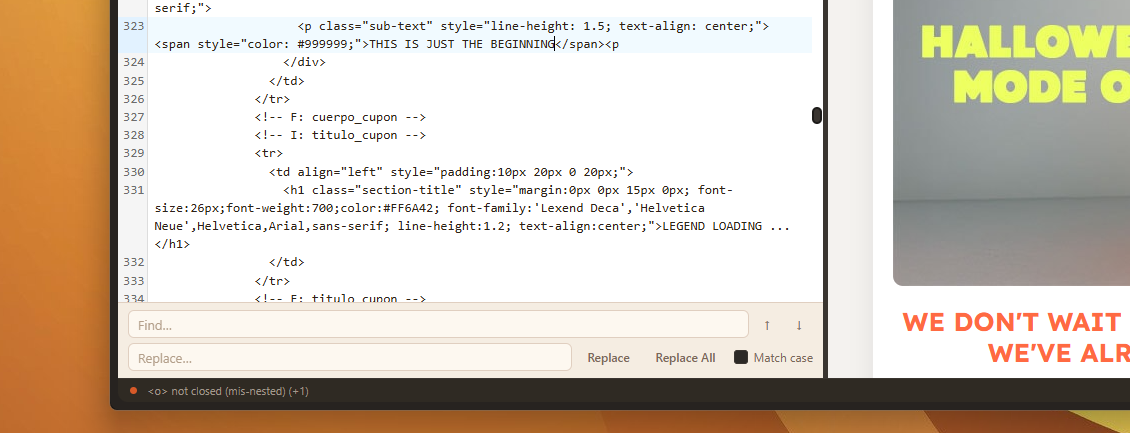
Tiny Chicken's editor with an unclosed tag, the status bar warning just below it and the broken result in the preview.
Forgot to close a tag? Tiny Chicken tells you which one before the broken layout reaches anyone.

Who it is for

People who get handed HTML and have to say whether it works.

Email designers, front-end developers and marketing technicians. The guide goes slowly through the same ground: the panels, the device widths, the editable preview and the tag errors.

Read the complete guide →

What it leaves out

One fragment at a time.

  • It does not serve files: it is not a local web server
  • No projects and no multi-file sites — snippets, not applications
  • No cloud, no account and nothing synced anywhere: your HTML never leaves the computer. The only network use is the licence check that starts the trial and activates a key
  • No setup to go through: the only setting is Accessibility Mode

One honest edge: the editable preview is not a full WYSIWYG. Editing there can normalise spacing and attributes, and Ctrl+Z in the editor does not undo what you typed on the rendered side.

In the app

More screenshots

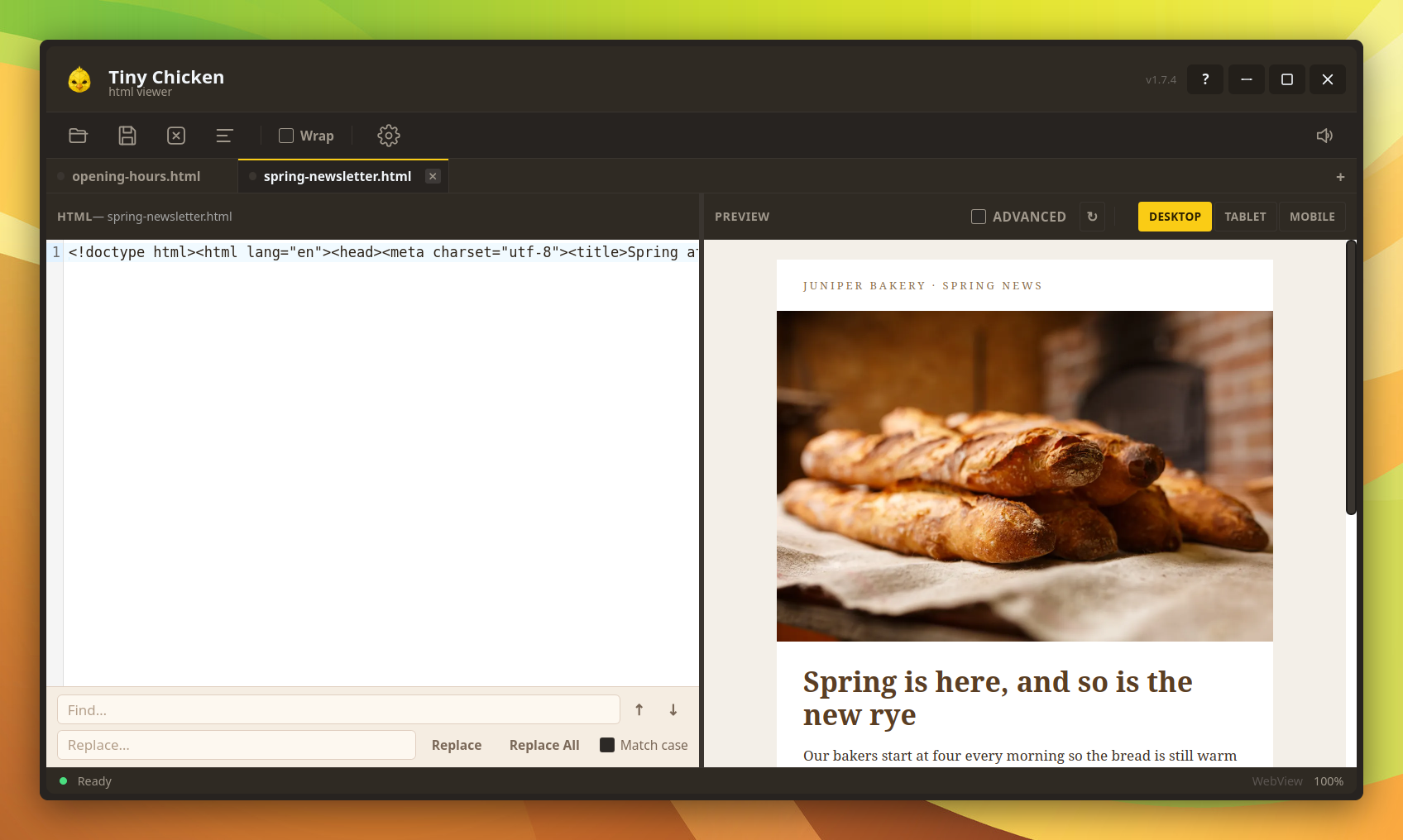
A whole email template on one line of code, and the preview already shows it as it will arrive
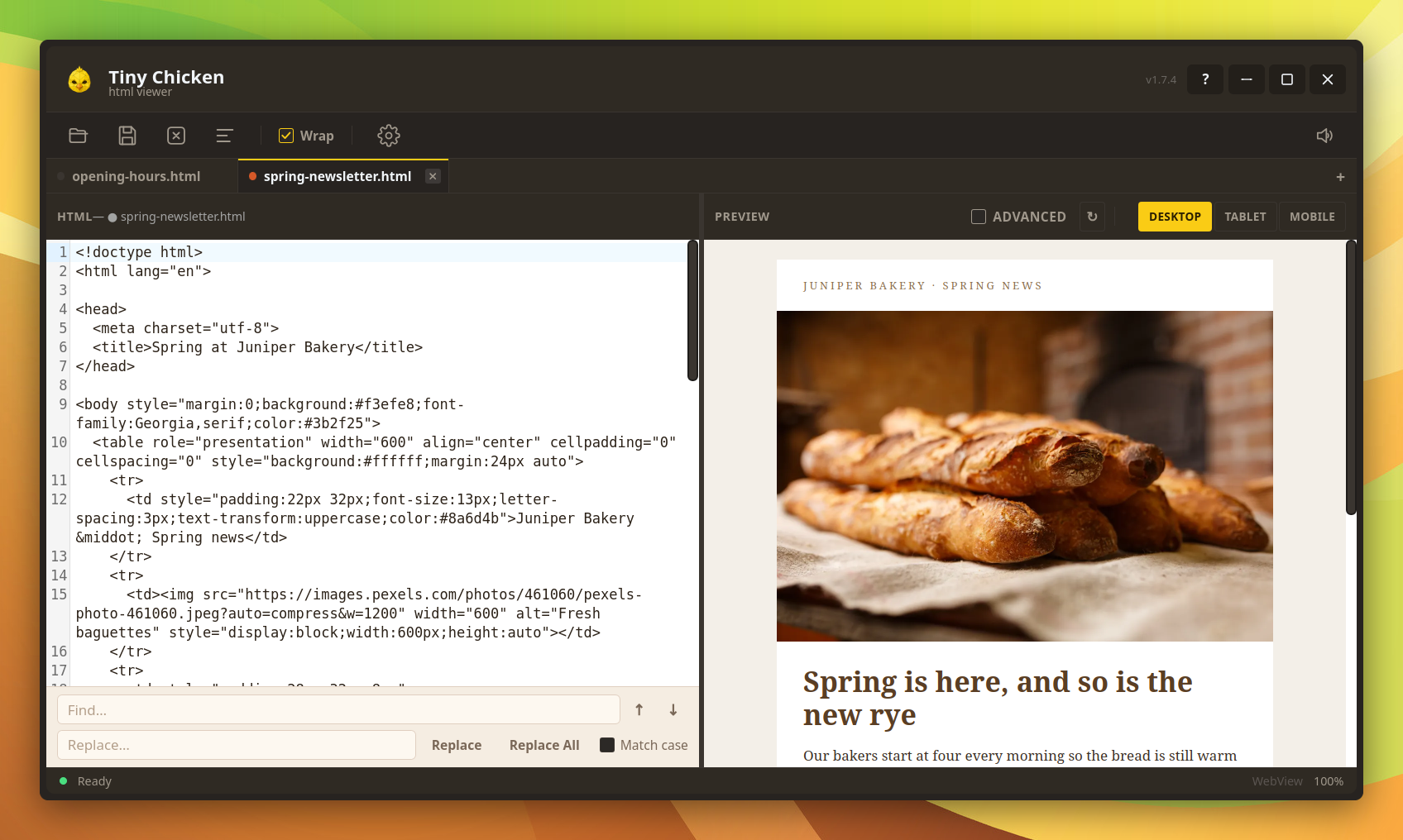
One click on Tidy and the minified HTML is indented and readable again
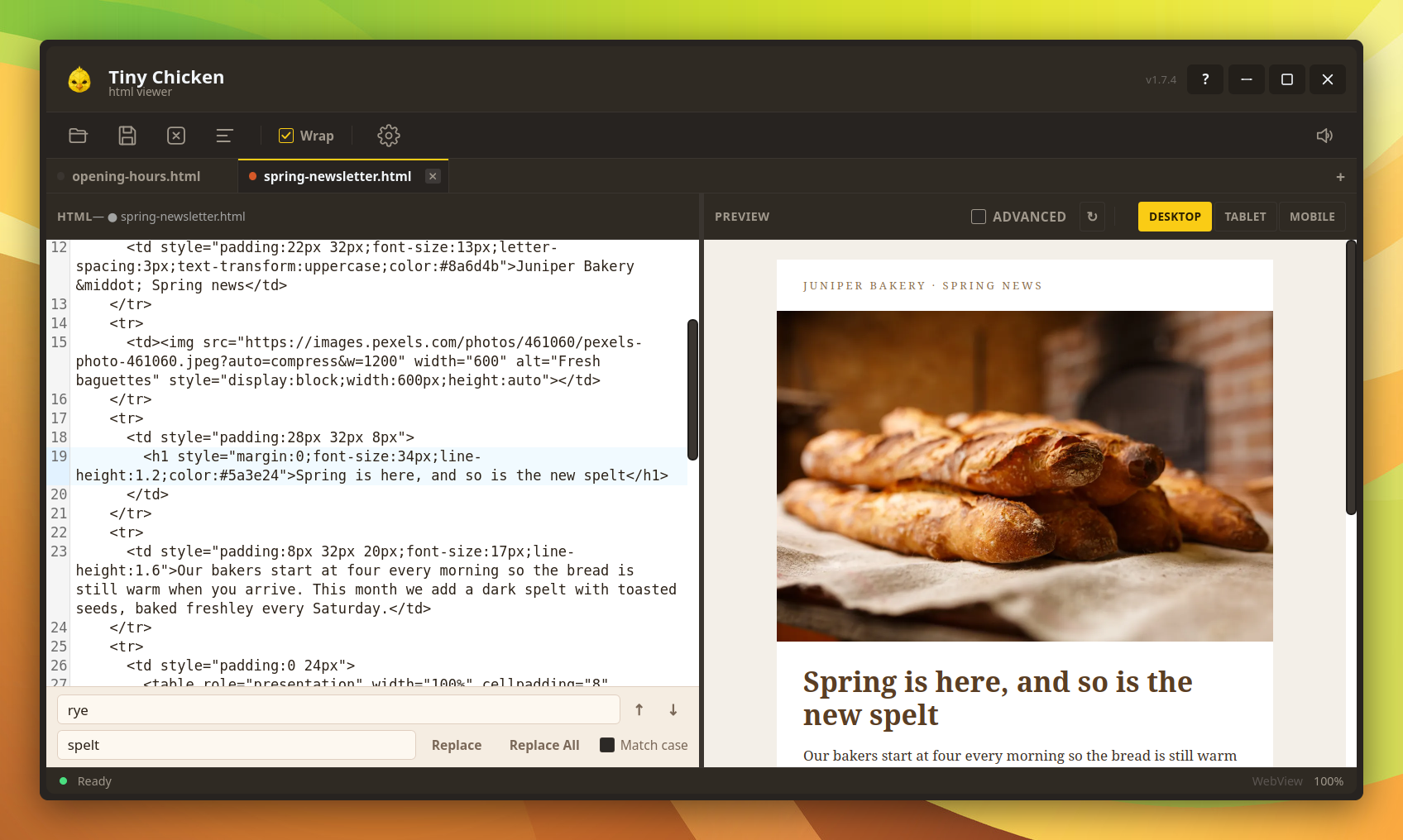
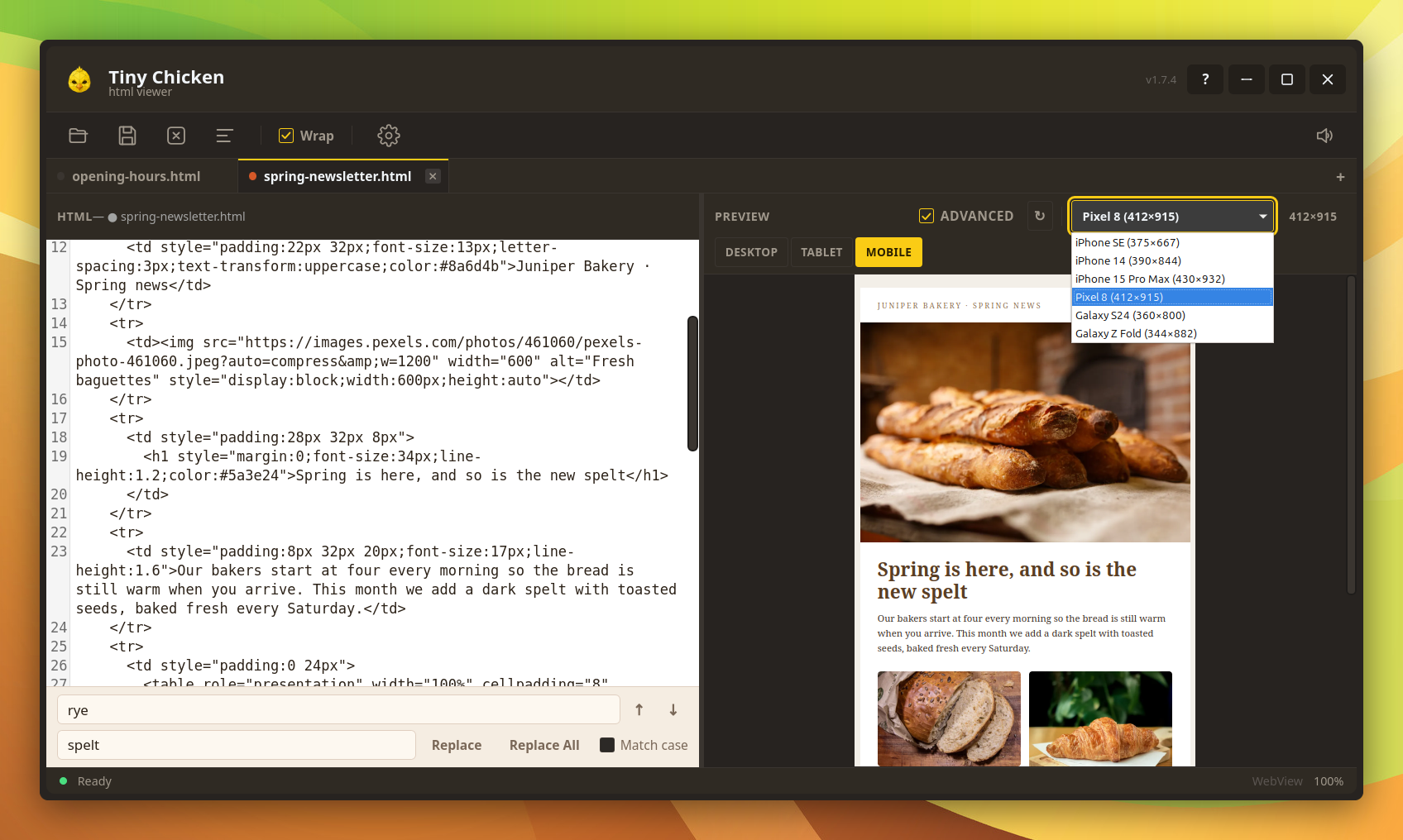
Find and replace in the code: the headline in the preview changes at once
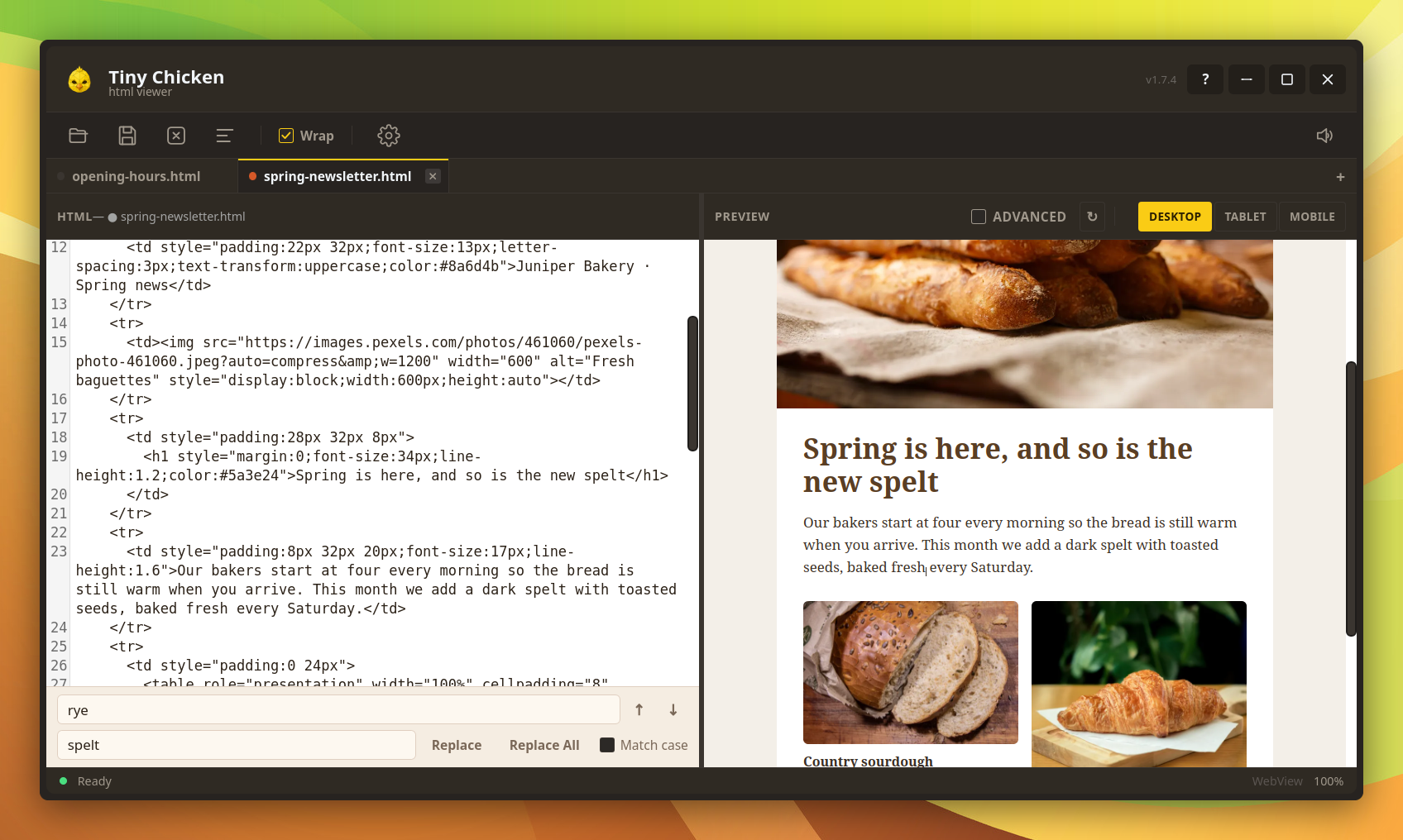
Fix a typo right in the preview and the code follows
Pick an exact phone, from an iPhone SE to a Galaxy Z Fold