🌋 The Stromboli Project
Free + licence 🪟 Windows

Bright Cardinal Presentations

Feels like PowerPoint. Only the parts you use at home.

The school project, the slide show of the birthday photos for the TV, the four slides for the residents’ meeting: pick a theme, drop in the pictures, press F5 — and the .pptx someone sent you opens here and goes back as .pptx. No account and no subscription.

Free to download and use. The first 14 days are the full version, with no account and no card. After that it keeps working with one presentation open at a time, and nothing you have made is deleted or locked; an Animal Tools licence (€19.99, once) removes the limit.

Windows and Linux desktop builds · the Linux packages are experimental

Windows may show a SmartScreen warning on first launch — click More info → Run anyway.
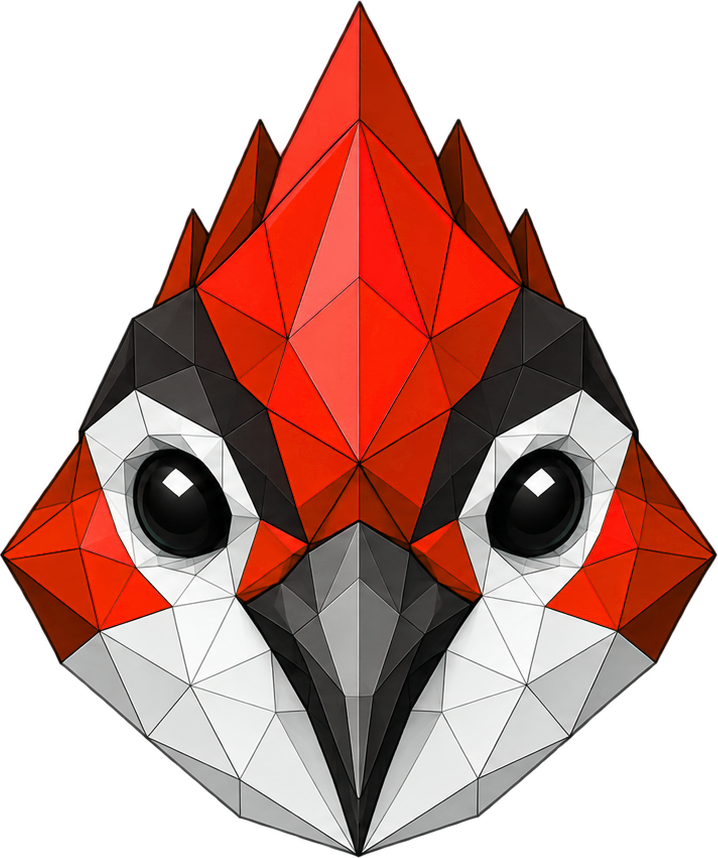
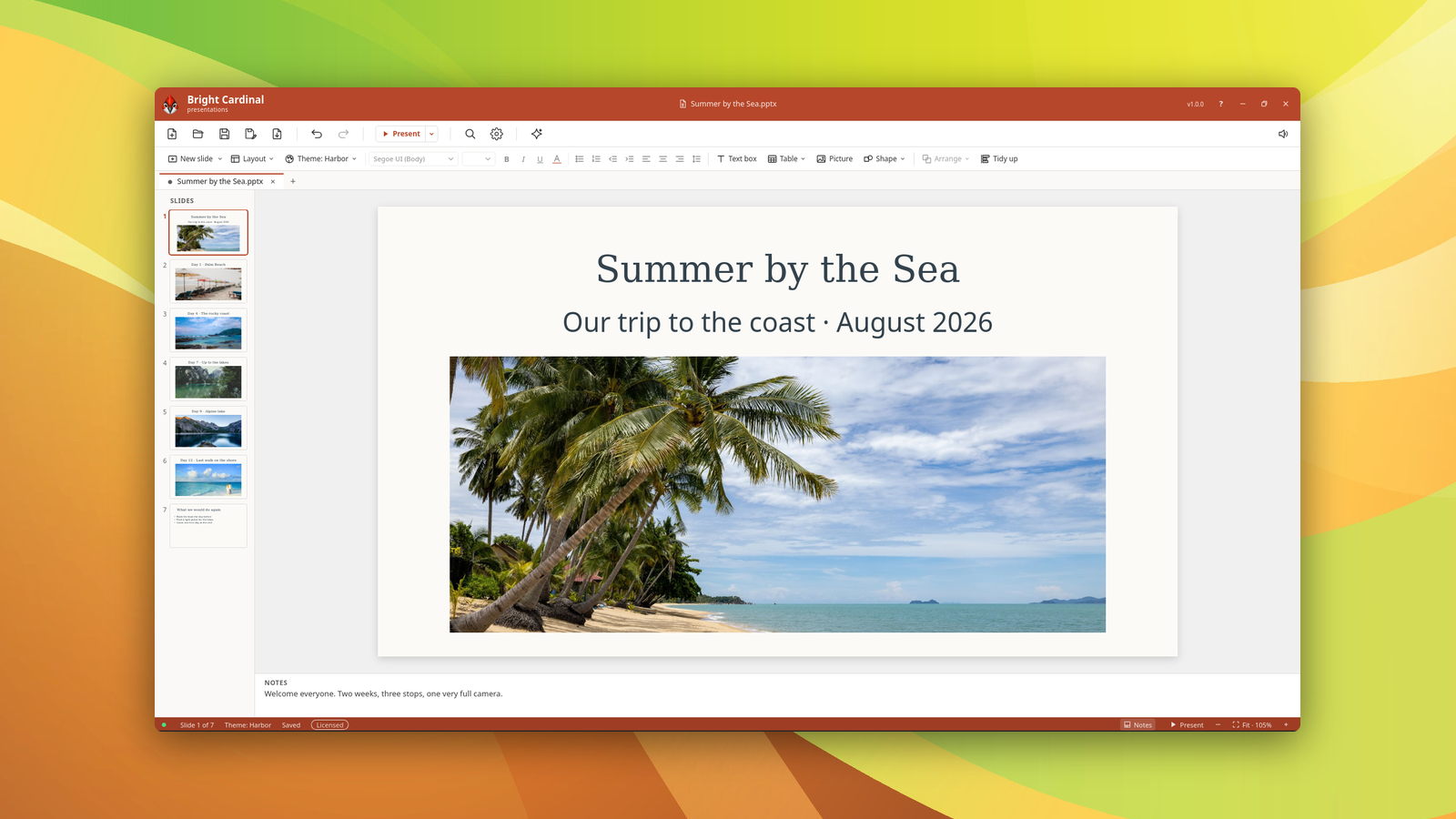
Bright Cardinal with a family trip presentation open: slide thumbnails on the left, a title slide with a large photo in the centre, the speaker notes below and the red title bar on top.
Your trip, slide by slide: thumbnails on the left, the photo in the middle and your notes underneath.

Bright Cardinal is a slide program that works like PowerPoint in the parts a family uses: thumbnails on the left, the slide in the middle, New slide and F5 — without the animations, SmartArt and slide masters around them.

Features

What it does with a presentation, before you install it.

Slides the way PowerPoint arranges them.

  • Thumbnails on the left: add with Ctrl M, duplicate with Ctrl D, delete, and drag to reorder
  • Several slides at once, and a right-click menu on the thumbnails
  • Widescreen 16:9 or standard 4:3
  • The slide fits the window; Ctrl + wheel zooms in

Eight themes, seven layouts.

  • Harbor, Terracotta, Paper, Night, Meadow, Classroom, Sunset and Slate
  • A theme changes background, colours and fonts of the whole presentation in one click
  • Layouts place the title, the text and the pictures for you: Title, Two columns, Picture with caption…
  • A background of colour or picture, for one slide or all of them

Text that looks right.

  • Font, size, bold, italic, underline, colour and alignment
  • Bullets and numbering with levels: Tab and Shift Tab
  • Line spacing 1.0, 1.5 or 2.0
  • Text that does not fit its box is marked, not shrunk behind your back

Pictures in, the easy way.

  • From a file, dragged from File Explorer, or pasted with Ctrl V
  • PNG, JPG, GIF, BMP and WebP
  • Resize keeping the proportions, crop with handles, replace without losing the place
  • Big phone photos are kept whole in the file and shown lighter on screen

Shapes and order.

  • Rectangle, rounded rectangle, oval, line and arrow, with fill, outline and text inside
  • Smart guides while you drag; align and distribute
  • Tidy up lines up a messy slide for you, with a preview you can cancel
  • Bring to front, send to back, group with Ctrl G
  • Arrow keys nudge the selection; Shift for bigger steps

Present without surprises.

  • F5 from the beginning, Shift F5 from the current slide
  • On the screen you choose — the projector or the TV, if one is connected
  • Click, arrows, space or a presentation remote; B or W for a black or white screen
  • Esc to leave, and the cursor hides on its own

It opens what people send you.

  • .pptx in and out, with text, pictures, shapes, backgrounds, notes, layouts and theme
  • From a PowerPoint file it rescues text, pictures, shapes, backgrounds and notes
  • What it does not keep, a line in the status bar says
  • Print or save as PDF from its own preview, with or without the notes

PowerPoint’s shortcuts, and nothing lost.

  • Ctrl M, Ctrl D, F5, Ctrl Z/Y, F12 to save as
  • Undo for everything, up to 200 steps; find and replace in slides and notes
  • Several presentations in tabs, with autosave and session restore
  • Light or dark mode, and interface size Normal, +30% or +50%
  • Something wrong? “Report a problem” in the ? menu opens your email with the app, its version and your system already written. Nothing is sent until you send it
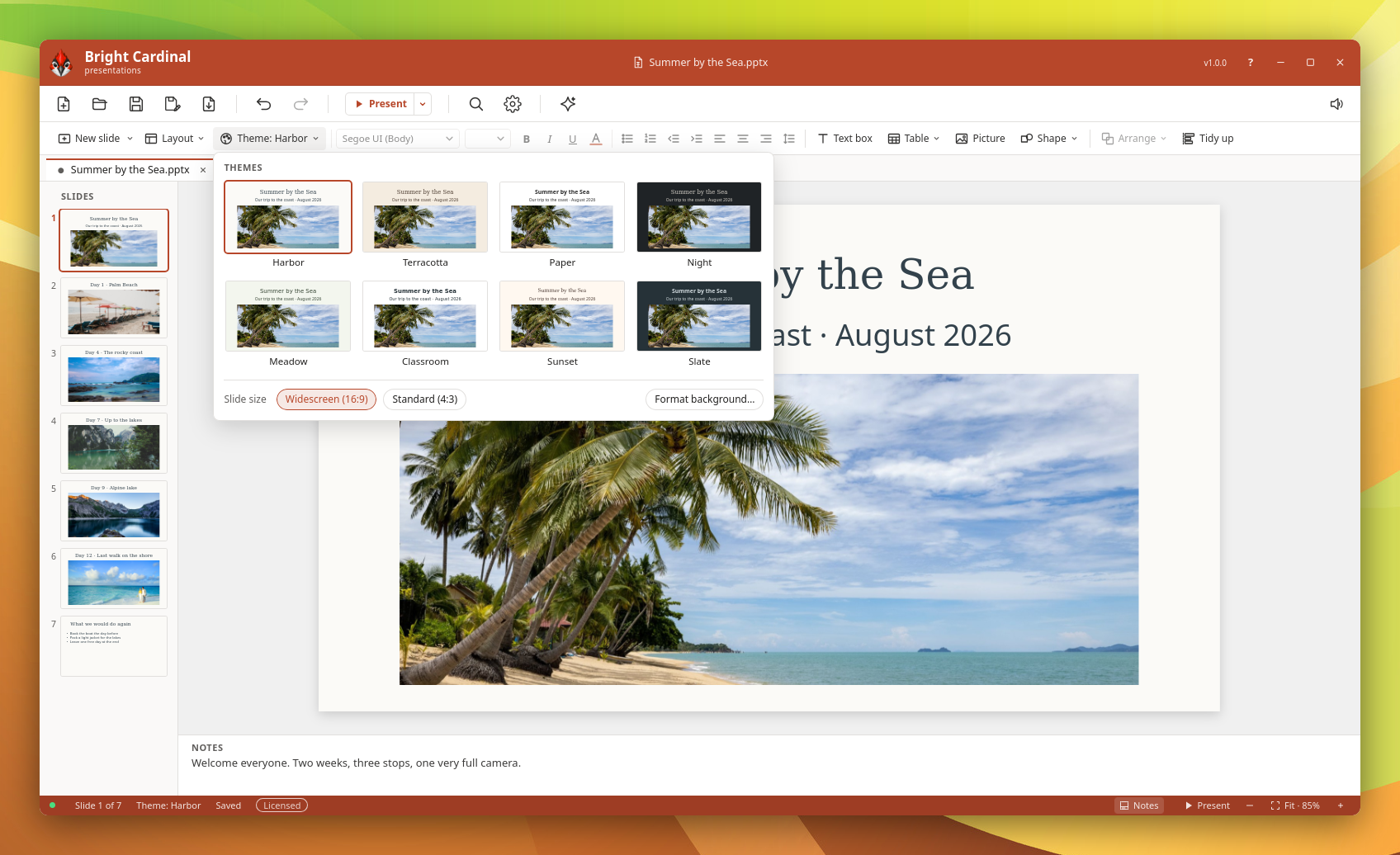
Bright Cardinal with the Theme gallery open: eight theme previews, with the slide size and Format background options below, over a presentation that already uses one of them.
Pick a theme and the whole presentation changes at once: colours, fonts and backgrounds already decided.

What you get

The slide program you already know how to use, kept to its size.

It looks good without designing

Pick one of eight themes and a layout, type the title and drop in the photos. The colours, the fonts and where things go are already decided.

The slide show goes to the TV

With a projector or a TV connected as a second screen, F5 sends the slides there and leaves your laptop free. Pass them with the arrows, a click or a remote.

Your photos stay on your computer

No account to sign into and no cloud to upload to. Each presentation is a .pptx file on your disk, pictures included, and the tabs you left open come back.

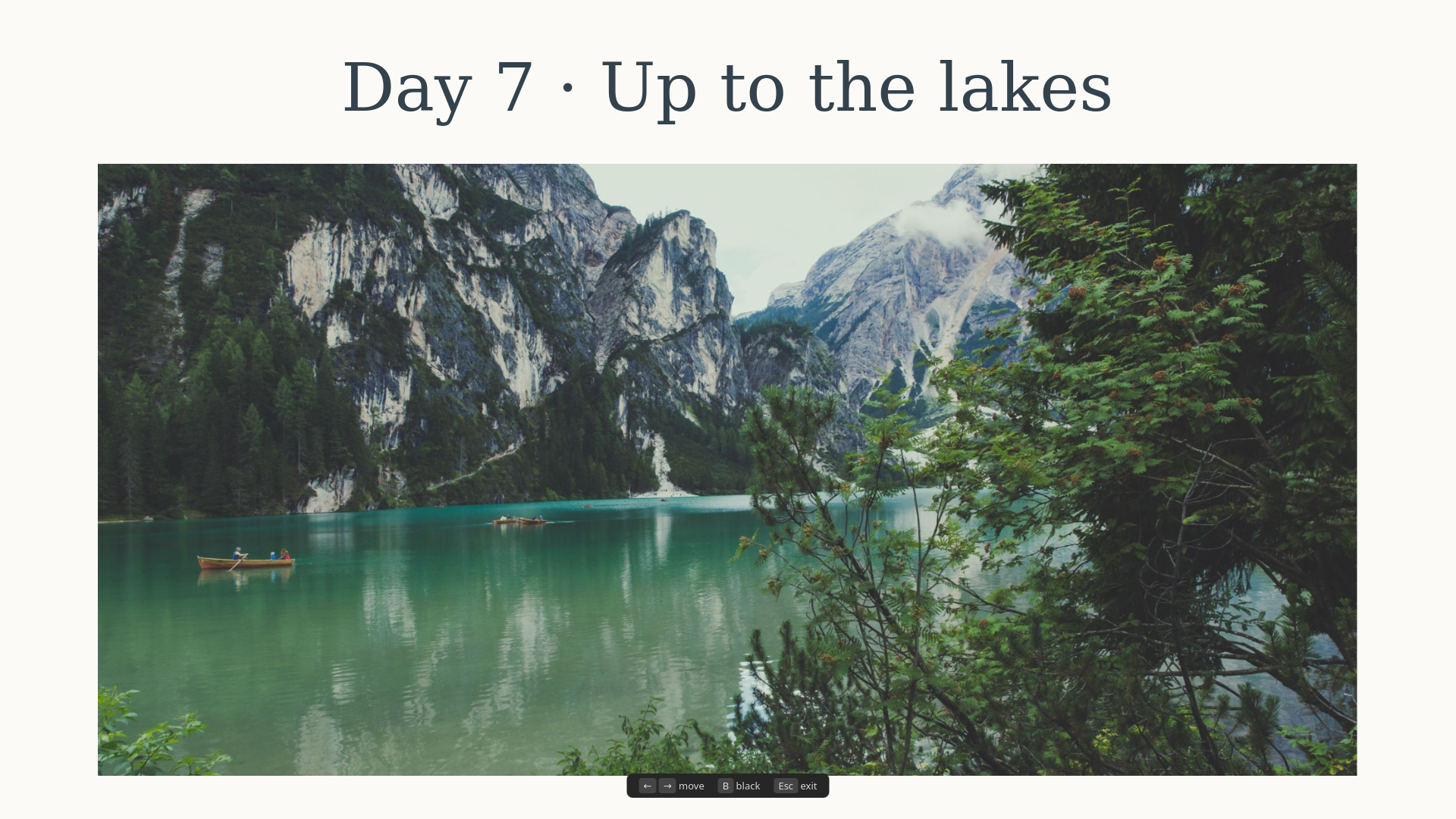
A Bright Cardinal slide show running full screen: a photo slide with its title, and the small hint at the bottom with the keys to move, blank the screen and exit.
Press F5 and the slides fill the screen. The arrows move on, B blanks it, Esc takes you back.

Before you install it

What it needs, and what a PowerPoint file keeps when it opens here.

What it needs

  • Windows with the WebView2 runtime, already installed on Windows 11
  • Linux: experimental packages, .deb and AppImage — the version line above says which build is which
  • No macOS build. This is a Windows and Linux desktop app
  • No account and nothing in the cloud. Every presentation is a local file
  • .pptx only. Not the old .ppt, and not LibreOffice’s .odp

What a presentation from PowerPoint keeps — and what it loses

It keeps the slides: text with its formatting and lists, pictures, simple shapes, simple tables, backgrounds, speaker notes, the layout of each slide and the slide size.

It drops what it does not have, and says so in one line in the status bar: animations and transitions, SmartArt, charts, video and audio, rotation, and the decorations of the slide master. Gradients keep their first colour, and shapes it does not know arrive as rectangles. Keep the original if those parts matter to you.

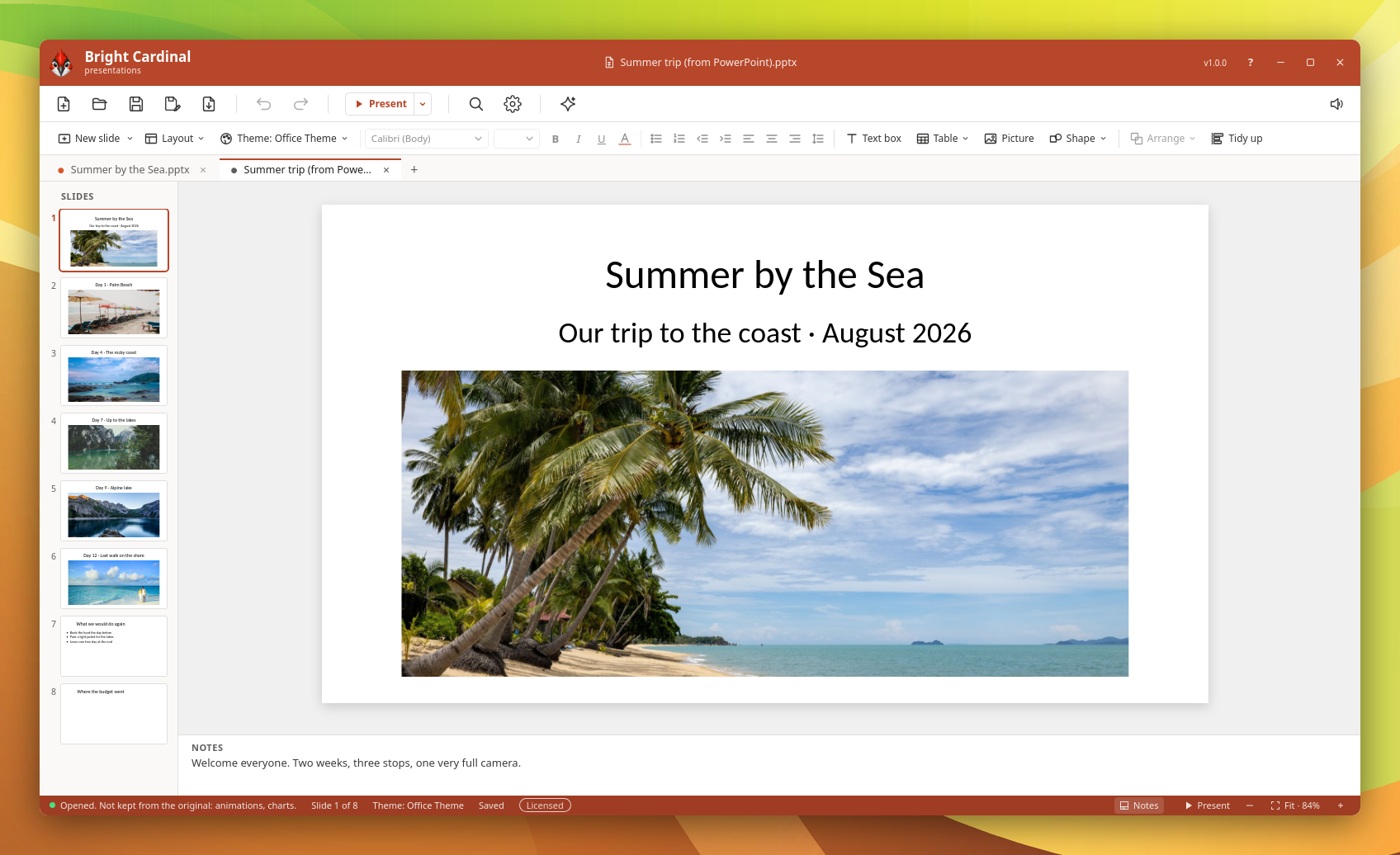
Bright Cardinal just after opening a presentation made in PowerPoint, with the notice in the status bar listing what was not kept, such as animations and a chart.
Open a presentation made in PowerPoint and one line tells you what didn't come along. No surprises halfway through the talk.

How it goes

From an empty presentation to the slide show on the TV.

Several presentations stay open in tabs, each one saved on its own as you go, so the slides you left yesterday are the ones that open today.

  • Change the theme at the end and every slide follows
  • Write what you want to say in the notes, and print them with the slides
Step 1 · Start or open A new presentation, or a .pptx by double-click, by dropping it on the window, or with Ctrl+O.
Step 2 · Make the slides New slide with Ctrl+M, choose a layout, type the titles and drag the photos in from the folder.
Step 3 · Make it look good Pick a theme; crop a photo, add a shape or a background if a slide asks for it.
Step 4 · Show it or send it F5 to present on the screen you chose; save as .pptx, or print and save as PDF from the preview.

Compared

Slides for the school project and the birthday photos, without the subscription.

PowerPoint is the standard and Google Slides is the free one most people already have. Bright Cardinal opens and saves the same .pptx files and stops at what a home presentation needs — the last block is the part of a slide program it deliberately leaves out. Canva and LibreOffice Impress are other roads; they are not in the table.

Bright Cardinal compared with Microsoft PowerPoint and Google Slides
Bright CardinalFree + licence · closed source Microsoft PowerPointSubscription · closed source Google SlidesFree · web app
What it costs
Price Free; full version €19.99 once $9.99/month or $99.99/year; Office Home 2024 at $179.99 Free with a Google account
Works without signing into an account ✓ ✕“You’ll need an account to download” ✕Needs a Google account
Keeps working without a subscription ✓Nothing to renew ✕Unless you buy the one-time edition ✓
What it does, and where
Opens .pptx and saves back to .pptx ✓Text, pictures, shapes, backgrounds and notes ✓ ✓Edits PowerPoint files in place
Presenter view with your notes on a second screen ✕Not in this version ✓ ✓
Runs on Mac, phones and the web ✕Windows and Linux ✓PCs, Macs, phones and tablets ✓Browser, phone and tablet
What it leaves out on purpose
Object animations —Slides that change, not slides that move ✓ ✓
Charts —The part of PowerPoint a home slide show skips ✓ ✓

✓included✕not available—left out on purpose

Comparison based on the published pages of each product — microsoft.com and support.microsoft.com for Microsoft 365 and PowerPoint, workspace.google.com and support.google.com for Google Slides — verified 2026-10-27, against Microsoft 365 Personal, the Office Home 2024 one-time purchase and a free personal Google account. Features and prices change: check their sites for current details. The Stromboli Project is an independent project, not affiliated with, endorsed by or sponsored by Microsoft or Google. All product names are trademarks of their respective owners.

Bright Cardinal's print preview showing the presentation as slides with notes, one per page, with the Print to PDF and Print buttons.
Print the slides with your notes, one per page, or save them as a PDF from the same preview.

Free version and full version

  • The first 14 days are the full version. It starts on first launch — no account, no email, no card — and the days left show in the status bar
  • Then it stays free, with one limit. One presentation open at a time; it can still be edited, saved, printed and presented — what you cannot do is open another presentation until you close the one you have. Nothing you have made is deleted or locked
  • The licence removes the limit. €19.99 once, for the full version of Bright Cardinal and the other tools in the collection that have one. You paste the key into the app you already installed

What the licence includes →

Who it is for

People who make a presentation now and then.

The children’s school project, the photos of the birthday or the trip to watch on the TV, the four slides for the residents’ meeting — made by someone who can type a title and drag a photo, would rather not pay for Microsoft 365 and does not want the family photos in someone else’s cloud.

And whoever gets a .pptx by email and only needs to open it, change a few things and show it.

Read the complete guide →

What it leaves out

The slides at home. Not the conference.

  • No object animations, Morph, SmartArt or charts
  • In this version: no slide transitions and no presenter view — the notes are for preparing and printing
  • No video or audio, and no rotating objects
  • No editing of the slide master: the themes and layouts cover it
  • No cloud, no account and no real-time collaboration
  • No recording or broadcasting the slide show